
A haul run start to finish from a phone
The full process of buying through a shopping agent, told screen by screen, with what we saw on real agent phone sites on 18 October 2026.
Spotting the find and keeping hold of it
Most hauls start with something seen in passing: a video, a post, a photo a friend sends. The first job is simply not to lose it. Social apps reload feeds, and the post you saw an hour ago can be hard to find again. Before anything else, save two things: the link, by the method in the route card, and a screenshot of the item as it appeared, including any price or colour name you could see.
The screenshot matters more than it seems. Later, when the warehouse photos arrive, it is one useful reference alongside the original listing, selected option and actual order record. Keep these screenshots in one album on your phone so they are easy to pull up next to the photos.
A shop link, a long press and an agent's paste box
With a clean link copied, the next screen is the agent. Here is what pasting looked like on LoongBuy's phone site in our check; the other agents differ in the details, and the route card lists each one.
Tap the search box
On the phone site the box on the home page is a button. Tapping it opens a separate search screen with the cursor ready.
Paste and press enter
A long press in the box brings up Paste. Press the enter key on the keyboard; there is no separate search button to find.
Read the item page top to bottom
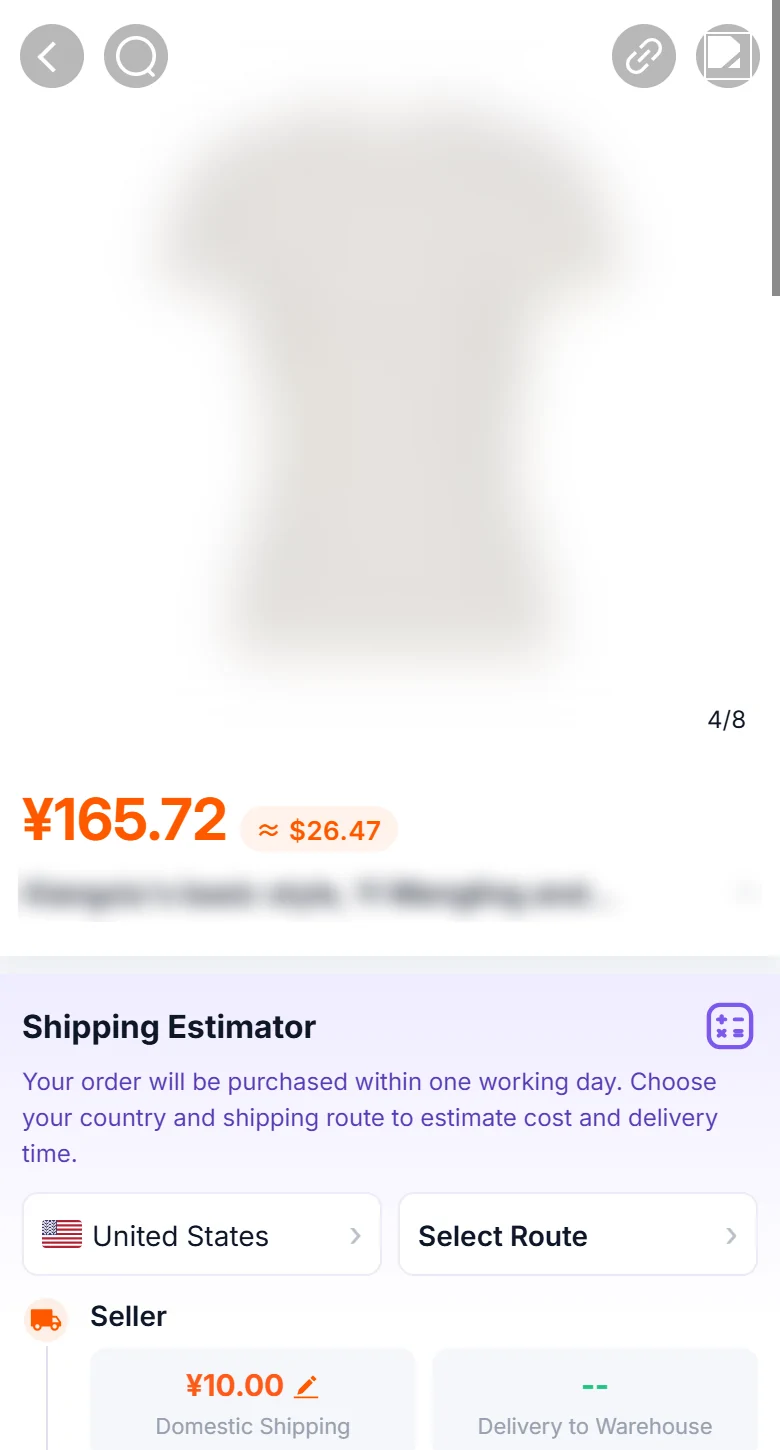
Price in yuan with a dollar conversion, the seller title, then a shipping block that asks for your country and a route.
Choose options before paying
Tapping Add to Cart or Buy Now usually brings up the colour and size choices; check them against your screenshot.
Sign in when asked
The cart sent us to the sign-in screen. Create the account here if you have not already.
Choosing colour and size on a narrow item page
Item pages on agent phone sites are long and narrow. The parts that matter most, the option picker and the seller's size chart, are often images rather than text, so they shrink with the screen. Zoom into the size chart until you can read every number, and compare the measurement you care about, not the size letter.
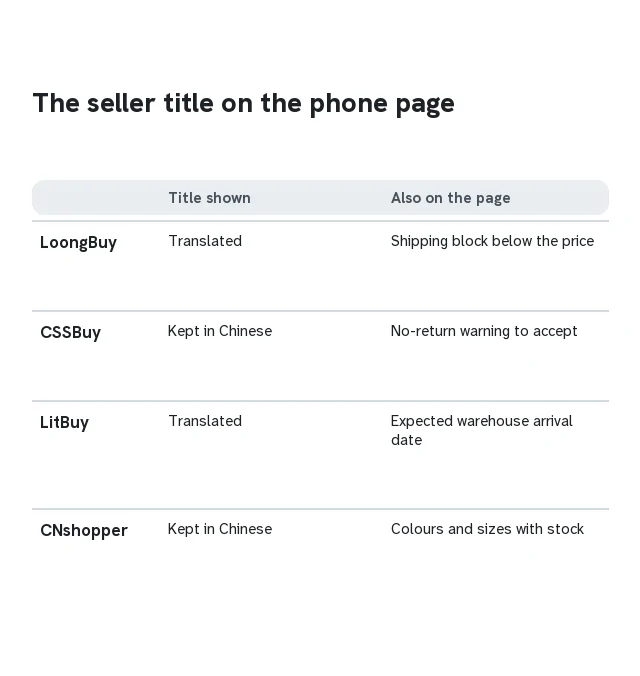
Expect some text to stay in Chinese. On CSSBuy's phone item page the seller's title was shown in Chinese, and the page asked us to accept a warning about the seller's no-return condition before we could add the item. CNshopper also kept the Chinese title but listed colours and sizes with stock counts. LitBuy translated the title and showed an expected warehouse arrival date. LoongBuy translated the title as well.
Lovegobuy skips a step entirely if you let it: copy a product link, then open its phone site, and a pop-up says it has detected a copied link and offers to show the item. We tried this on our test day and it worked as the agent's own announcement describes.
Paying for the item, then waiting for the warehouse
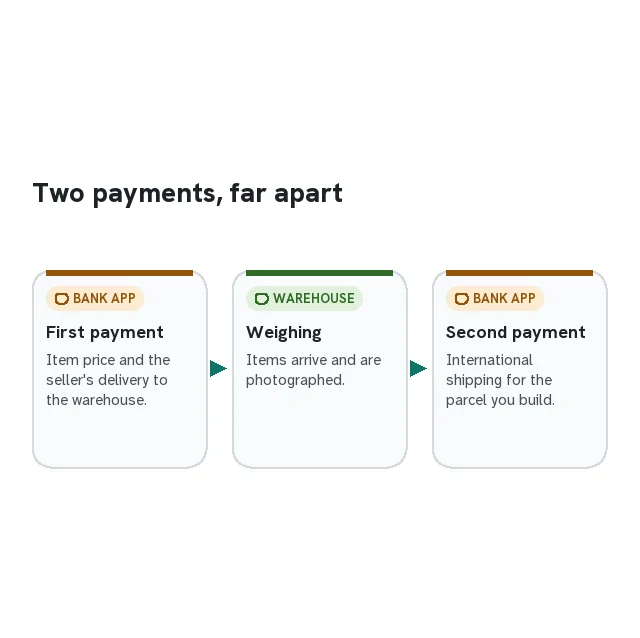
Most agents split payment in two. Payment one pays for the item plus the seller's domestic delivery to the agent's warehouse; payment two, later, pays for international shipping once your items have been weighed. CNshopper spells this out as a two-step payment on its guide page, and the other featured agents work the same way in practice.
Paying on a phone usually means leaving the agent for a moment. A card payment often triggers a second approval in your banking app. Approve it there, then return to the agent page and refresh it instead of starting again; starting again can leave two pending payments. More on this is on Money.
After payment the agent places the order with the seller, who then posts the item to the warehouse inside China. LitBuy's item page showed an expected arrival date at this stage; the others show the order status in your account.
Photos, a shipping line and the second bill
When the item reaches the warehouse it is checked and photographed. Open the photos on your phone, zoom in, and compare them with the screenshot you saved at the start. Warehouse photos has a checking order that works on a small display.
Once everything you want has arrived, you build a parcel: pick the items, choose a shipping line, and pay the second bill. This is the step where a bigger screen helps most, because estimate pages list many lines with different prices, delivery ranges and restrictions. Reading two or three at a time on a phone is workable; comparing the whole list is easier on a computer.
From dispatch to your door
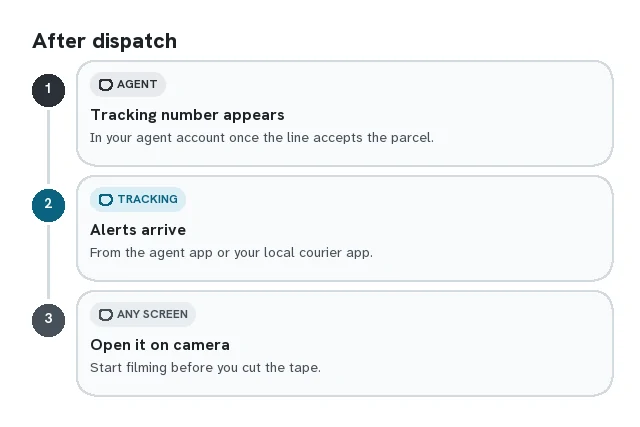
After dispatch, the agent passes your parcel to a shipping line and a tracking number appears in your account. From here the phone is the right tool: allow notifications from the agent app, or add the tracking number to the delivery app your local courier uses, and let the updates come to you. Parcels and customs explains what the tracking stages mean and what customs may ask.
When the parcel arrives, film yourself opening it if the item is valuable. Agents and couriers often ask for evidence when something is missing or damaged, and a phone video started before the tape is cut is the simplest evidence there is.
When the bank approves but the order still says pending
A payment can leave the browser for a banking app and return to a stale screen. Go back to the same order, refresh its recorded status and compare the transaction reference before starting another payment. If the account still does not reconcile, contact support with the order ID, time and payment reference. Do not post card details, a login code or an unredacted receipt in a public group.
Keep the seller link and selected variant in a note you can reopen after the app handoff. A browser tab disappearing should not force you to guess which colour or size was ordered. If you change devices, sign in through the agent’s genuine site and use the order record rather than assuming the local basket or browser history was transferred.
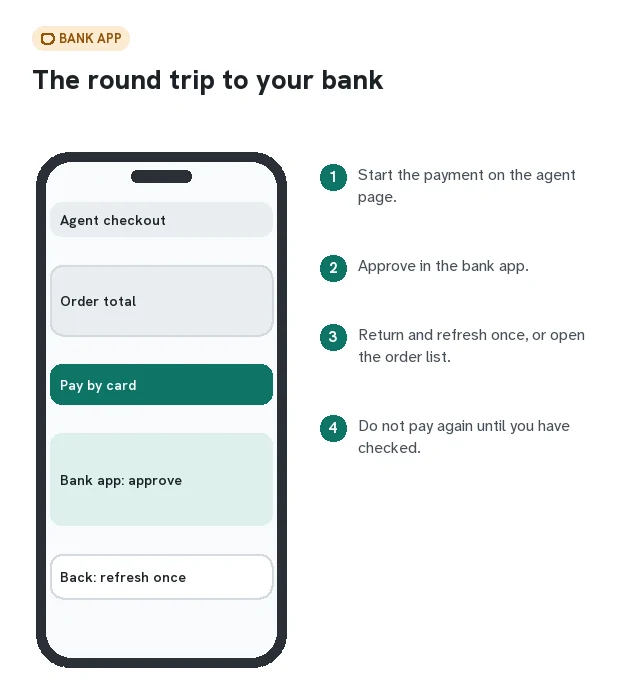
Item status and parcel status are different lists
One item may have been purchased while another is waiting for a seller reply. Later, an item can be in the warehouse while no international parcel has been submitted. Read the label beside the actual order or parcel identifier, not just the latest notification. A message saying a label was created does not establish that a carrier has collected the package.
On a phone, open each QC photograph at full size and zoom to the feature you need to assess. Save a concise list of accepted and unresolved items before preparing the parcel. At delivery, keep the package label and item list in the same record as any photographs of damage or missing contents. That makes a support request easier to follow without sending an entire unrelated camera roll.
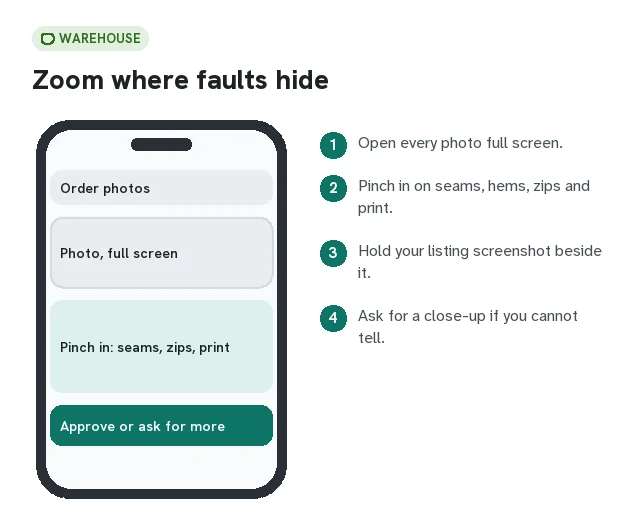
Keep the small-screen handoffs recoverable
Before leaving an app, save the item URL and selected color, size and quantity in one note. After a login or bank approval, return to that same order and check its identifier. A translated product title or a thumbnail alone is not enough to tell two similar variants apart.
When you reach shipping, save the quote with its destination, date, packed weight and dimensions. If the total changes later, compare those inputs and the charge breakdown before attributing the difference to the app. The parcel guide explains the distinction between item weight, packed weight and a route’s billing rules.