
Warehouse photos, checked on a phone screen
The QC photos are your one look at the real item before it leaves China. Here is how to judge them properly on a phone.
What the warehouse photos are
When your item reaches the agent's warehouse, staff open it, check it against the order and photograph it. These QC photos, commonly short for quality control, give you the first look at the real item rather than the seller's pictures. They appear in your account, attached to the order.
How many photos you get varies. Superbuy describes free standard inspection with three standard photos per order, taken within a day of arrival. LitBuy says routine inspection photos are free and generally three to six. CSSBuy says it photographs each arrival for you to view, LoongBuy lists checking and photographing items as part of its warehouse step, Lovegobuy offers free inspection photos after stock-in, and CNshopper's home page promises free QC photos without giving a number. Most agents sell extra photos or close-ups if you want them.
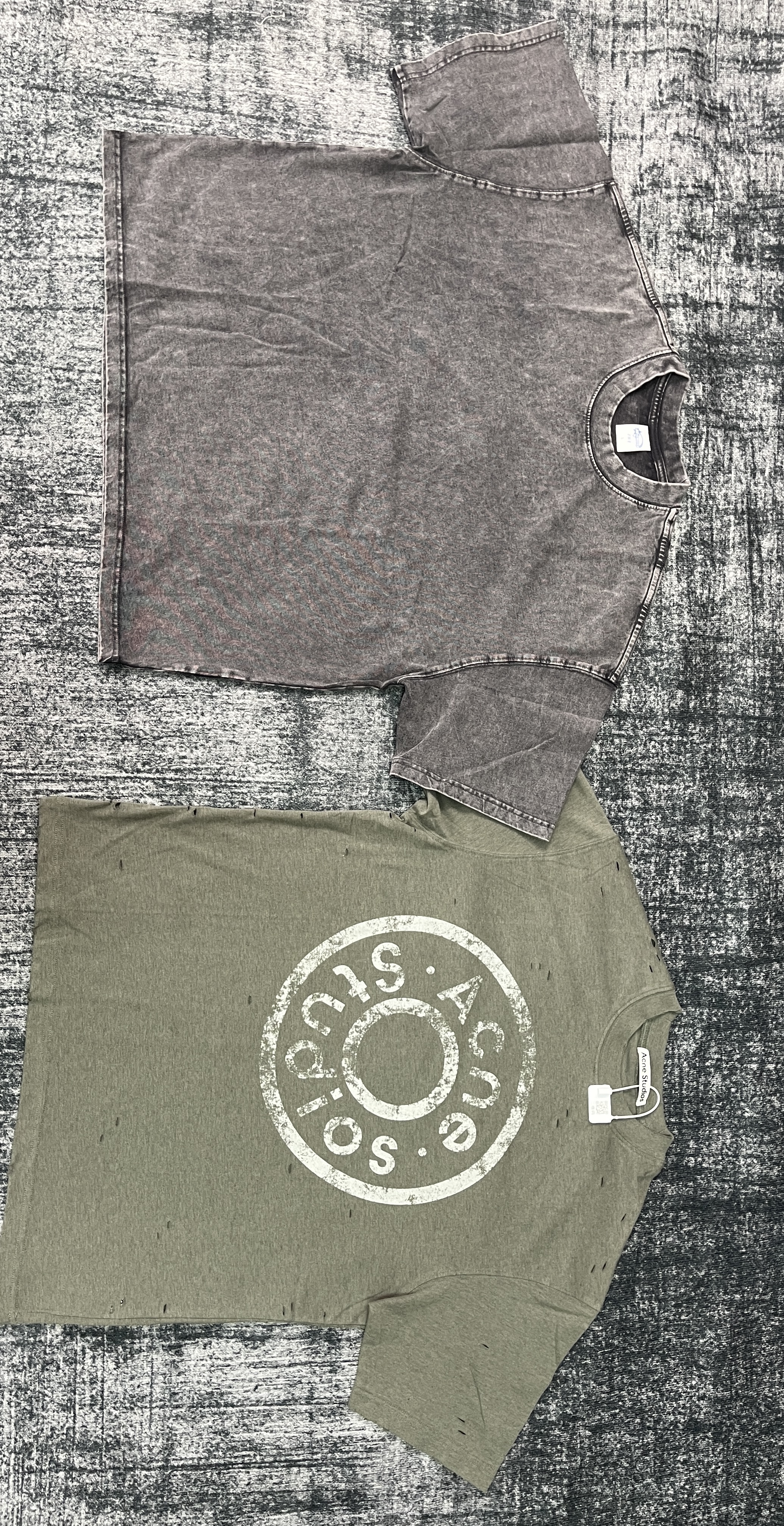
Warehouse photos on a palm-sized screen
A phone shows a photo at a fraction of its real size. A stain, a pulled thread or a crooked seam that would be obvious on a laptop can vanish at that scale. The fix is to zoom, and to zoom deliberately rather than at random.
Open each photo full screen and pinch in on the parts that usually go wrong: seams and hems, zips and buttons, any print, and the size label. Then put your saved screenshot of the listing next to the photo. If your phone supports side-by-side images, use it; otherwise alternate between saved images or open them on a larger screen. Picture-in-picture is not generally available for arbitrary still photographs. Compare colour with care: warehouse lighting is not the seller's studio lighting.
If a photo is too small or blurred to judge, ask for another. Compare the extra-photo fee with the cost of a decision you cannot reverse after dispatch. Ask for the missing view while the item is still eligible for inspection or a return.
A checking order for every photo set
Here is how to check QC photos in the same order every time, so nothing gets skipped. It works for clothing, which is most of what our shelves hold, and adapts easily to bags and accessories.
- Is it the right item? Same style, same colour, same number of pieces as your order.
- Is it the right size? Read the size label; if the agent offers measurements, compare them with the seller's chart.
- Is anything damaged? Holes, stains, broken zips, missing buttons, loose threads at stress points.
- Does the print or finish match? Placement, colour and edges of any print or embroidery.
- Is anything missing? Belts, laces, dust bags or other parts shown in the listing.
Use this checklist to organize what you can see and what still needs another view, where the agent can still ask the seller to swap or refund.
When something in the photos looks wrong
If the photos show the wrong item, the wrong size or damage, contact the agent from the order page before you approve the item for shipping. Agents can usually ask the seller for an exchange or a return when the request is eligible and within the applicable deadline; the seller's own return policy decides whether that is possible and who pays the domestic postage.
Write the problem plainly and attach the photo, marked if your phone's editor allows it. Keep the conversation inside the agent's ticket or chat system so there is a record. Once a parcel has left China, fixing a fault becomes slow and expensive, so this is the moment to be particular.
If an exchange is refused, ask separately whether a return is eligible and what costs or evidence apply. An exchange refusal does not automatically establish that a refund will be accepted. Decide quickly, because the free storage period keeps counting while you wait for answers.
A label, a ruler and a missing view answer different questions
A label photo identifies what is printed on that label. It does not establish the item’s internal dimensions or fit. A measurement is useful only when the tape’s zero, endpoint, unit and the item’s position are readable. If the photograph cuts off the far side or compresses the image, record the measurement as unconfirmed.
Ask for the smallest extra view that could change your decision: both size labels for a pair, a flat chest measurement, the inside of a pocket, or all included accessories in one frame. State the order and variant so support can match the request to the correct item. A clear photo can reduce uncertainty; it does not authenticate the item or guarantee a refund.
What this real archive photograph lets you check
You can distinguish the two items, front designs, visible neck labels and the cut of the sleeves. You cannot establish their exact dimensions because no tape is present. A screen view also cannot tell whether distressing was specified in the listing, whether the back matches, or how either item fits.
For your own order, compare this kind of view with the selected variant and seller description. Ask for the reverse, a readable label or a defined measurement when that answer matters. The presence of two garments in a photograph does not prove that two units were ordered or will be shipped.