Judging a finds catalogue, starting on your phone
What separates a maintained catalogue of finds from a stale one, and four tests you can run on your own phone in a few minutes.
Signs a finds catalogue is looked after
How to pick a Spreadsheet site that earns your attention comes down to evidence that someone maintains it. A catalogue of finds goes stale fast: listings disappear, sellers change prices, links break. Look for a date that tells you when it was last checked, links that still open the listing they promise, and a page naming the operator with a way to contact them.
Be wary of catalogues that list prices without dates, promise the lowest prices, or link every item through one agent without saying why. None of those is proof of a problem, but each is a sign that the catalogue is selling something rather than describing it.
Testing a catalogue on the phone you shop with
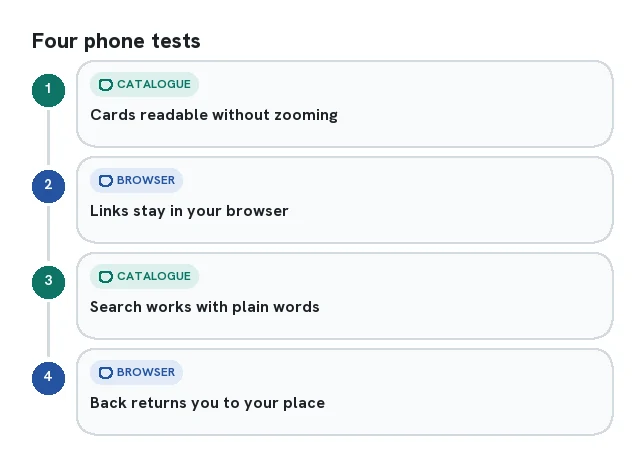
Since most people browse finds on a phone, test a catalogue there. Open it from a social app link and from your browser. Can you read the product cards without zooming? Does tapping a card keep you in the browser, or trap you inside the social app? Does search work with plain words like linen shirt? Can you get back to where you were on the shelf after checking an item?
Then look at the images. Product photos should be the seller's photos, cropped or resized, not drawings. A drawing should be identified as an illustration. Neither a drawing nor a product photograph proves that the catalogue operator inspected a purchased item.
Holding this site to the same list
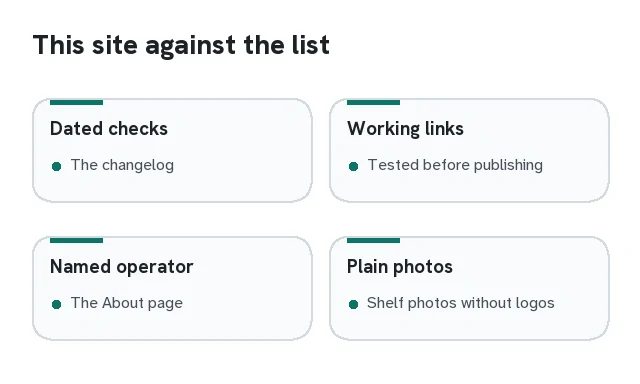
Apply the same checks to this guide: read its dated update notes, distinguish catalogue browsing from an agent checkout and open the product listing before deciding. Category photos identify a type of product; they do not verify stock, a seller’s claims or the quality of every item on the linked shelf.
A broken link, a phone page that now behaves differently, or a changed fee needs a fresh check. Confirmed corrections are dated in the changelog so that readers can distinguish a current observation from an older screenshot.